

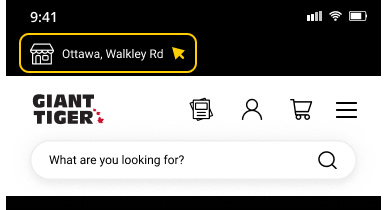
Select a preferred store in the “My Store” dropdown at the top of the screen. Enter your postal code to find the nearest store or select “Use My Location.”



All eligible “Pick Up in Store” products will be indicated by a message on the product pages. Add the product to cart, select “Store Pick-Up” at your preferred store and complete the purchase.


You’ll receive a confirmation email once your order is ready for pick-up. Make sure you bring your “Ready for Pick-Up” email with you to the store; we’ll need to reference it for some key information. You have the option to show your “Ready for Pick-Up” email on your phone or bring a printed copy for proof of purchase.
If you do not have your “Ready for Pick-Up” email available, you may show a piece of government-issued ID or contact our Customer Service team.
Once you’ve received your “Ready for Pick-up” email, please pick up your order within five days. Any items not picked up within the five-day limit will be returned to the sales floor and a refund will be processed.